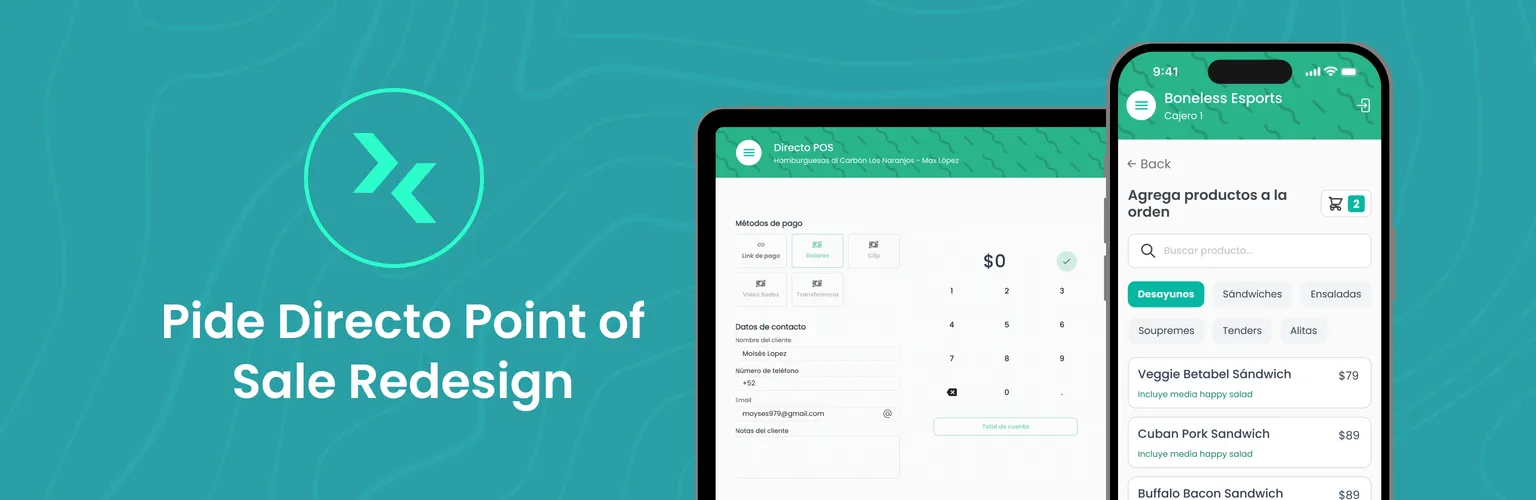
Pide Directo POS
An internal tool for restaurant staff: a clearer order flow, a checkout of its own, and every order from every channel in one view.
- Role
- Version 1: sole designer and developer. Version 2: sole designer, with help implementing the frontend.
- Outcome
- Both versions shipped, and Version 1 went to every business using Pide Directo. In October 2026, at least 22 restaurants in Mexico and Uruguay still run on it.
- Key decision
- Fix the hierarchy of a dense order flow, turn checkout into its own flow, and bring orders from every channel into one view staff can scan as cards or a table.
Users and context
Pide Directo makes software for restaurants, including this POS and its web menu. Its website lists 5,000 clients and a certification from Rappi as a Top Tech Partner.
The POS is an internal tool for restaurant staff: cashiers, waiters and managers. Staff take orders, apply modifiers and charge customers. Managers also set up the restaurant's products and promotions there, and that setup feeds the web menu, so every restaurant ordering online runs on the POS too.
It runs on phones, tablets and desktops. Most restaurants use a dedicated tablet for it.
The flow
An order goes through four steps.
1. Order type
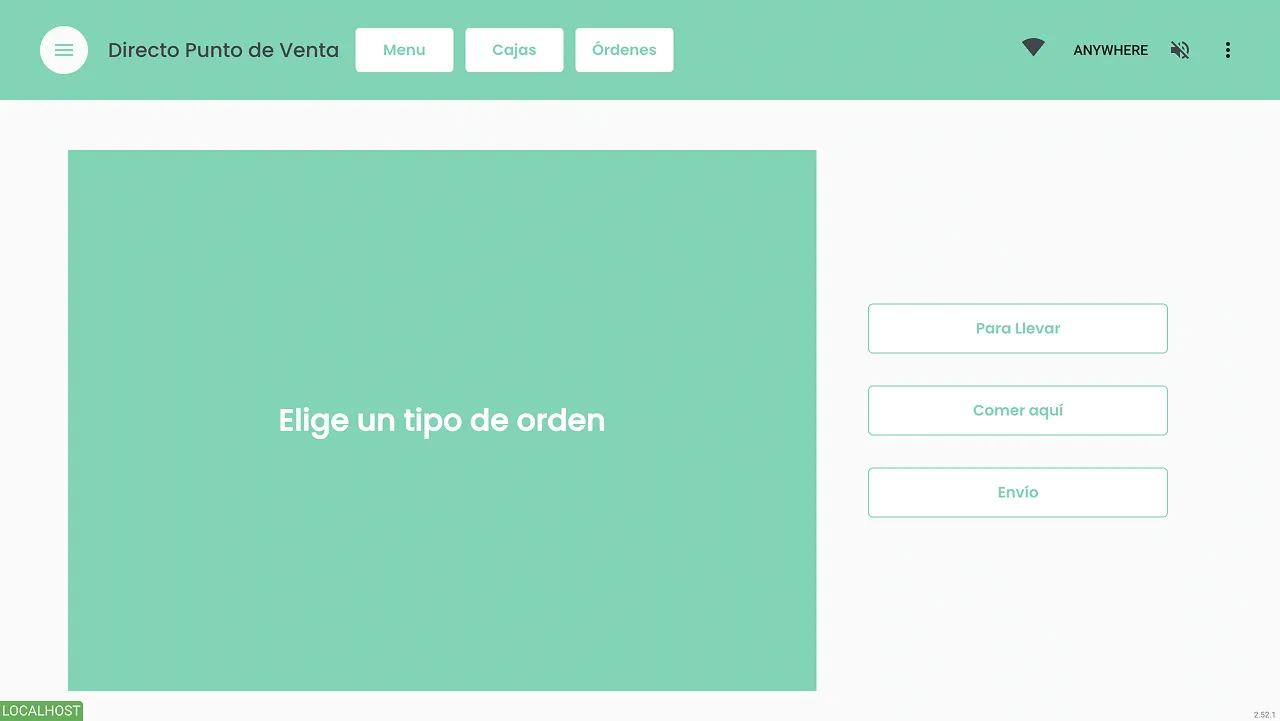
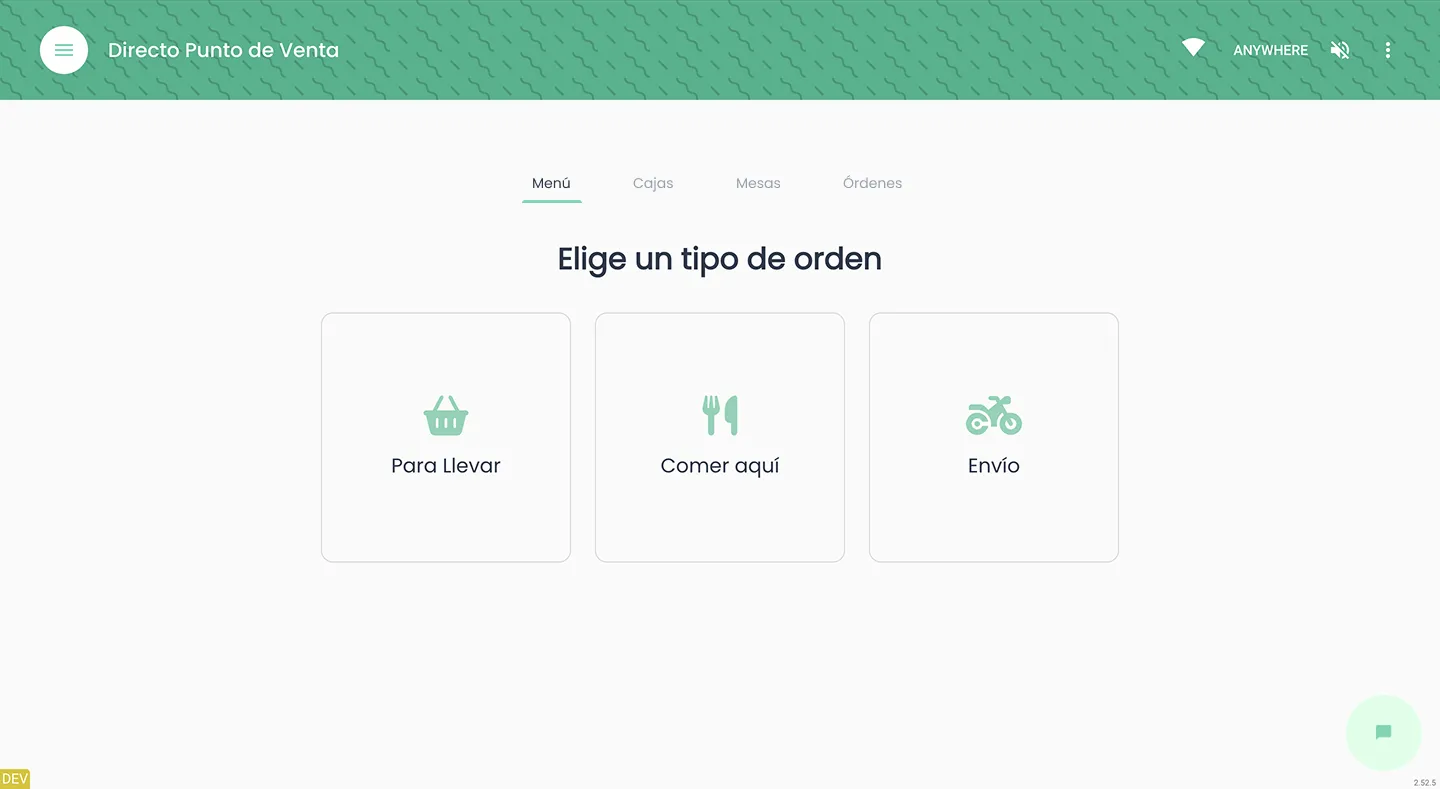
The old screen had a giant box on the right that only said "Select the order type", with the actual order types off to the side. The layout didn't prioritize the one action that mattered: choosing the type.
The redesign makes choosing the order type the main action on the screen.
Before
After
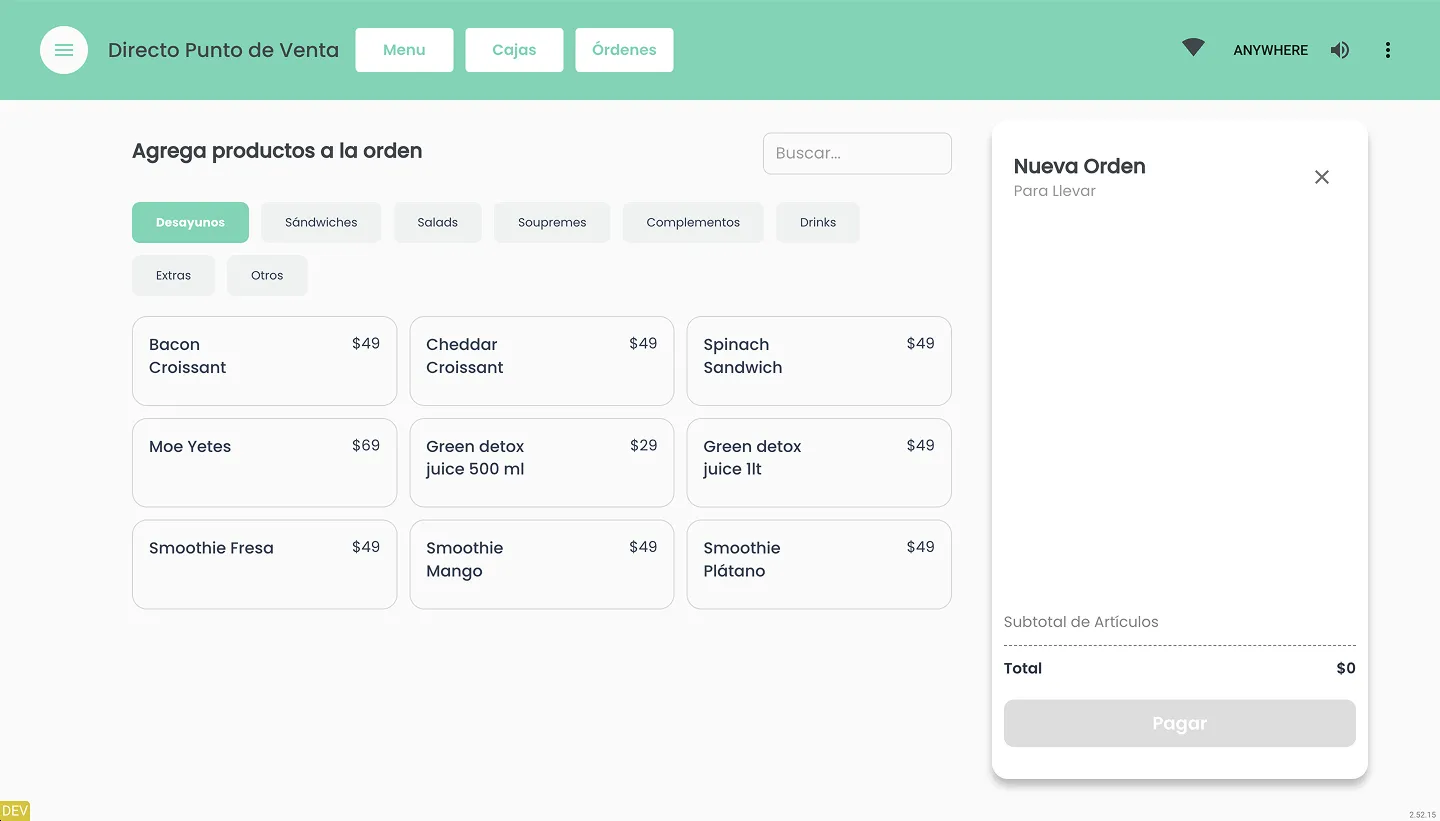
2. Menu
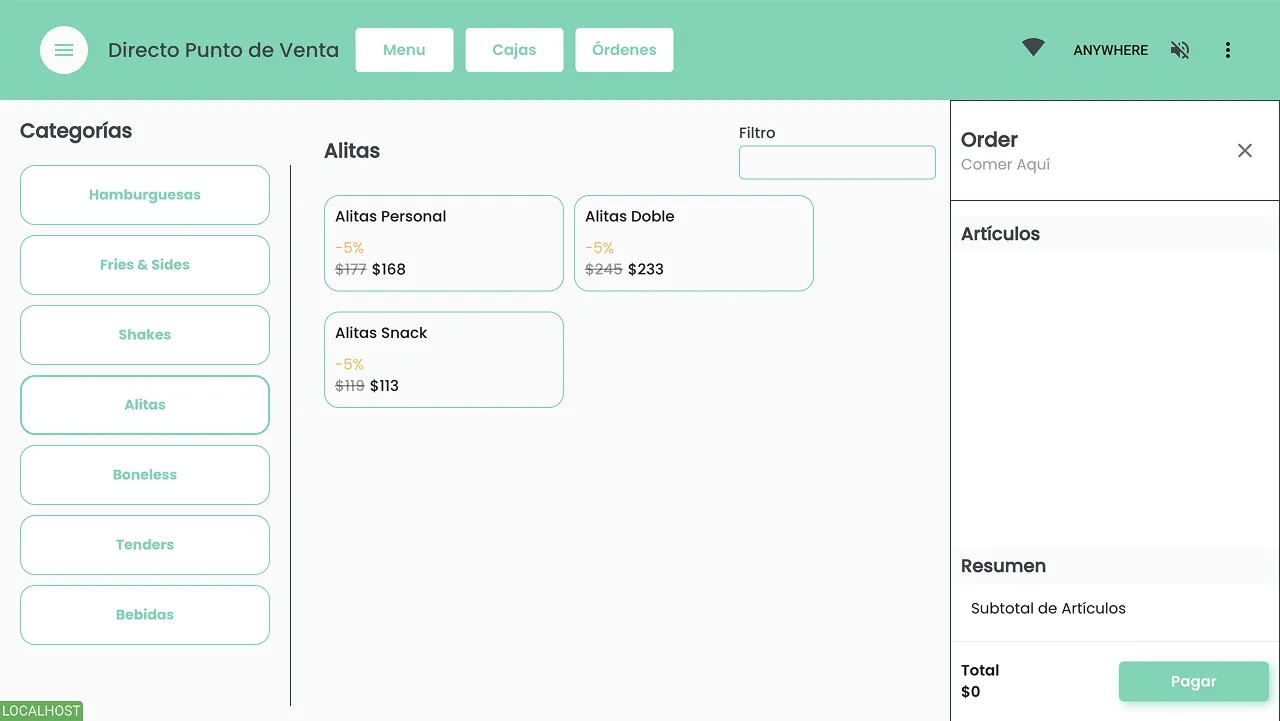
Categories took up the left side of the screen and were as big as products, or bigger. That's the wrong hierarchy: products are what staff add to the order.
The redesign moves categories above the products and makes them smaller. Products get the space and become the most important element on the screen.
Before
After
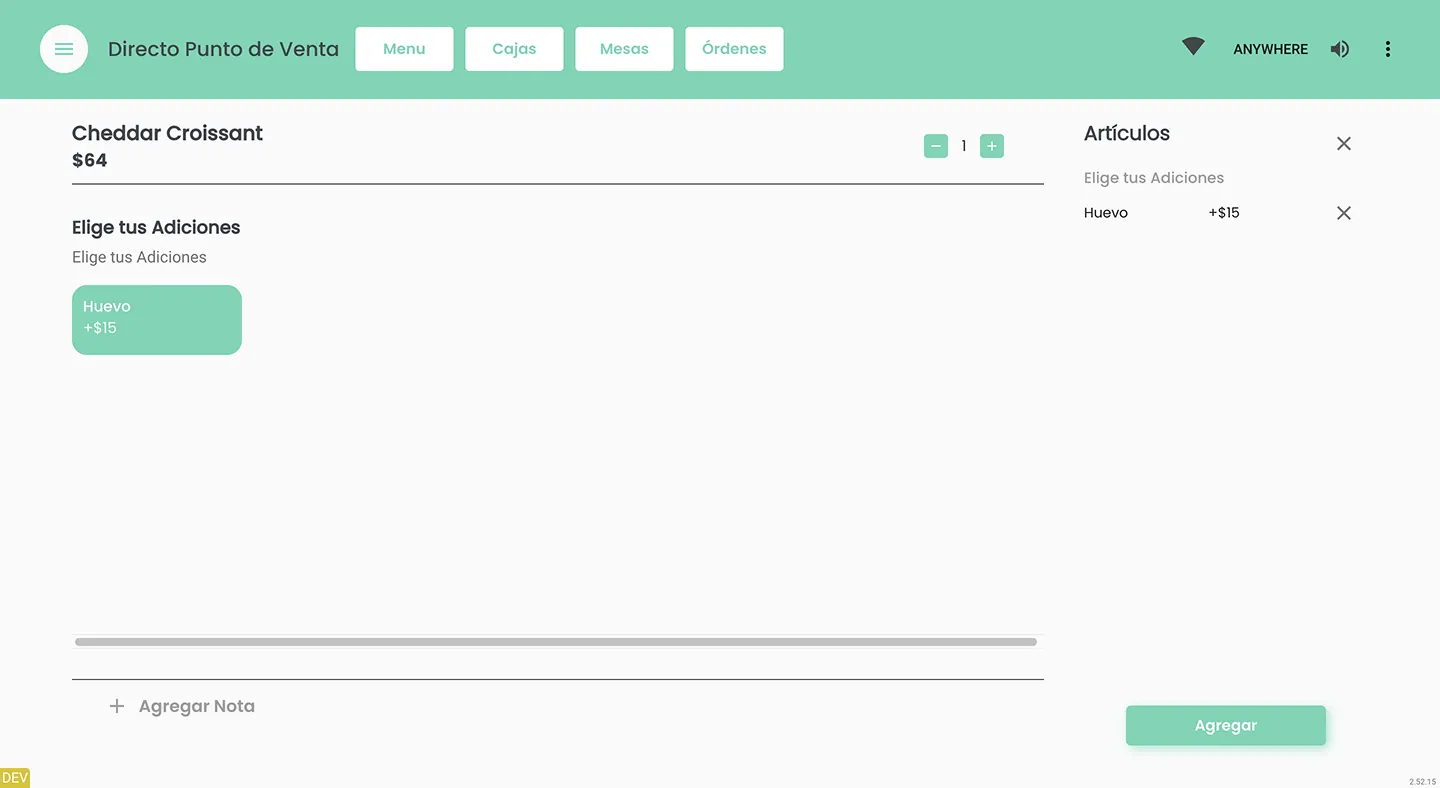
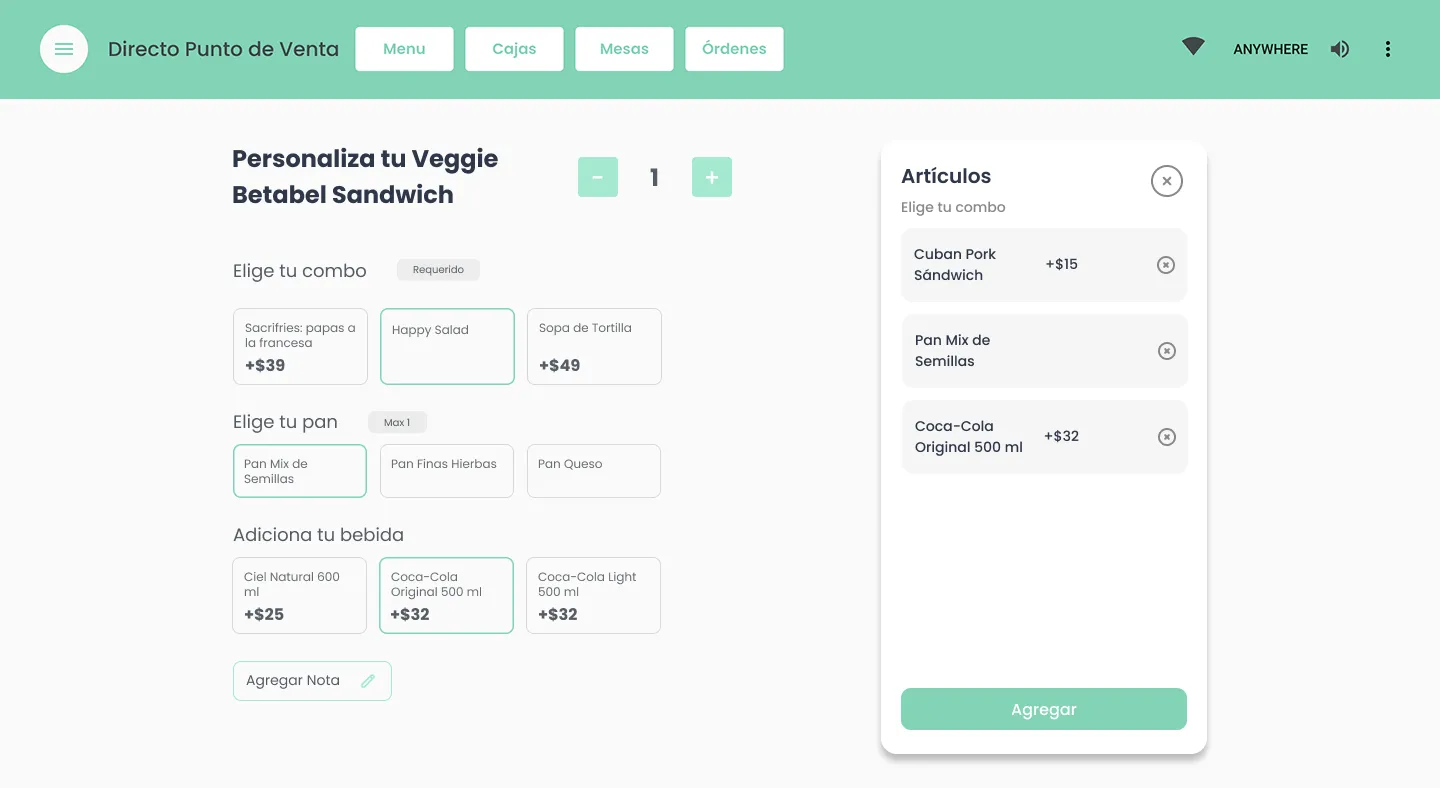
3. Modifiers
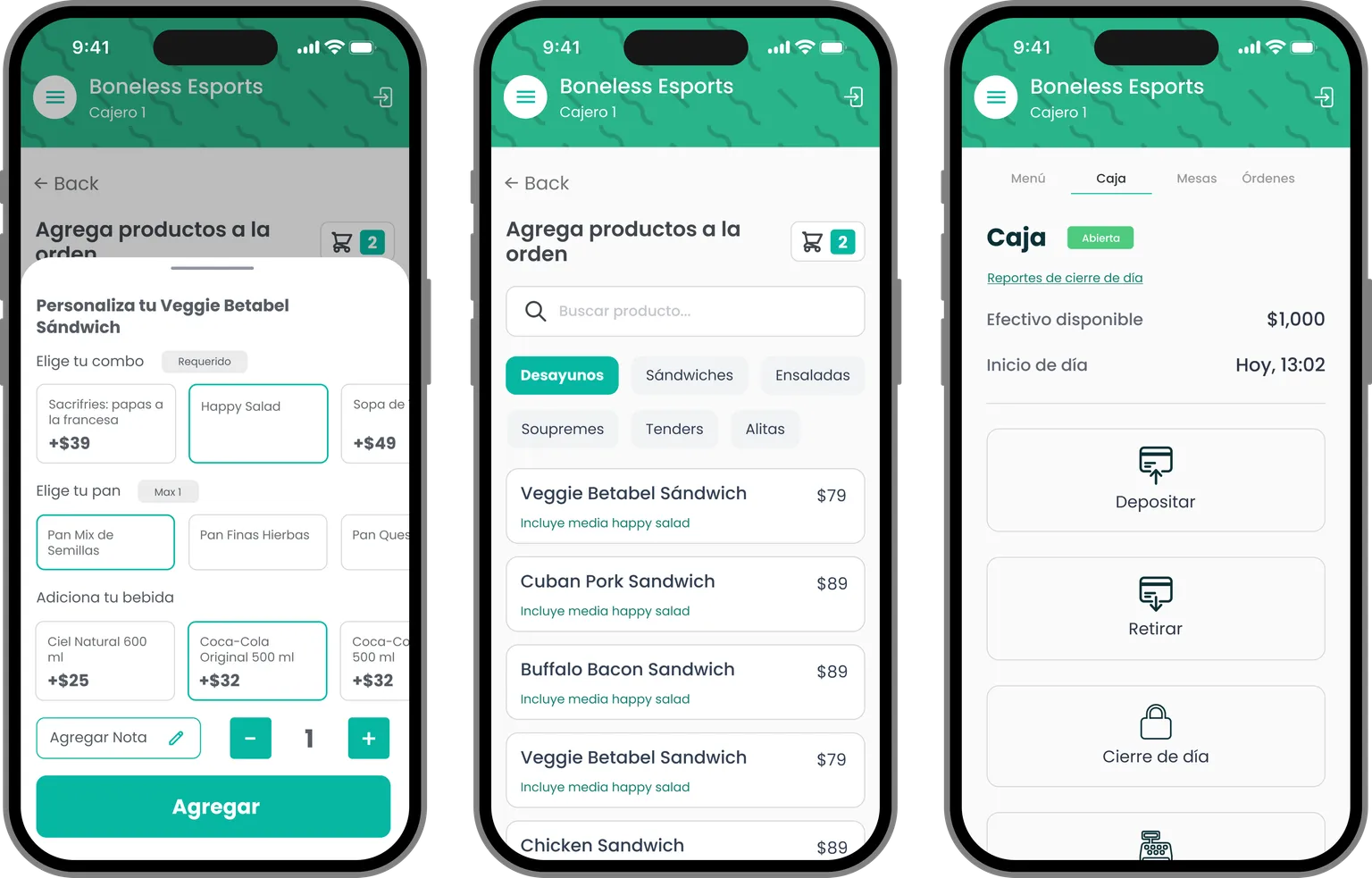
Here the change was mostly visual, to make the process less confusing. Each group of options has a clear title and its rule ("required", "max 1"). Options are cards with their price. What's been chosen collects in a summary panel on the right, with the button to add it to the order.
Before
After
4. Payment
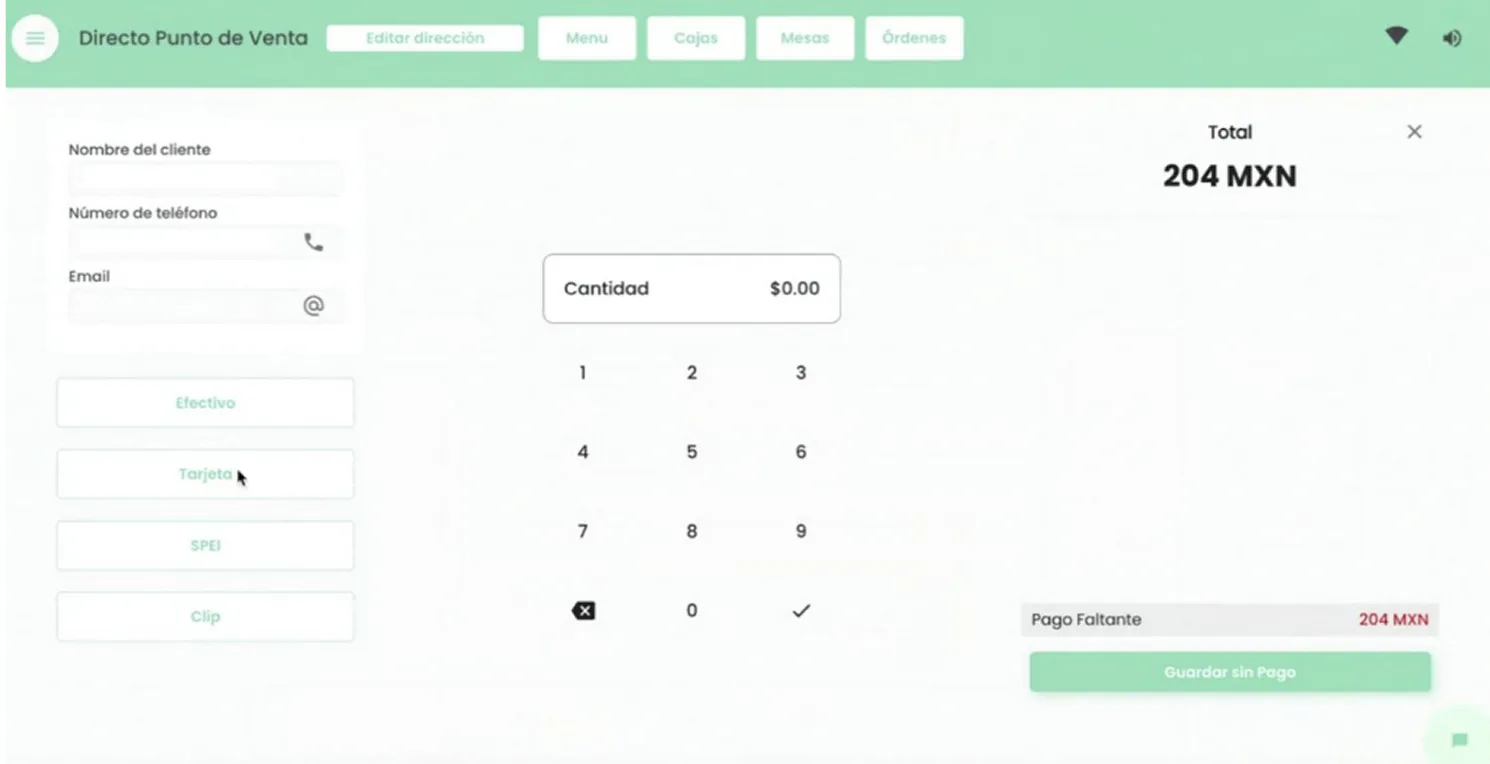
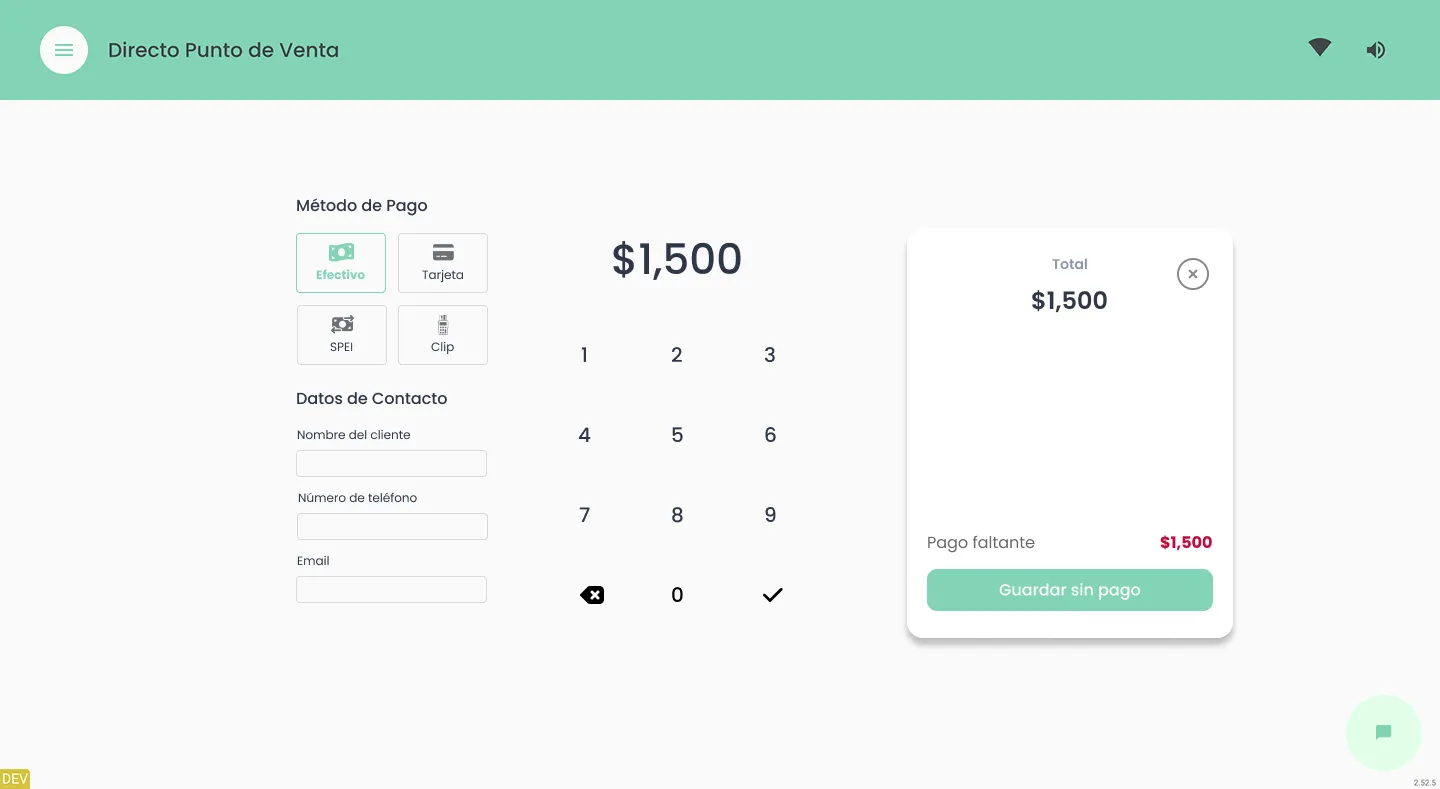
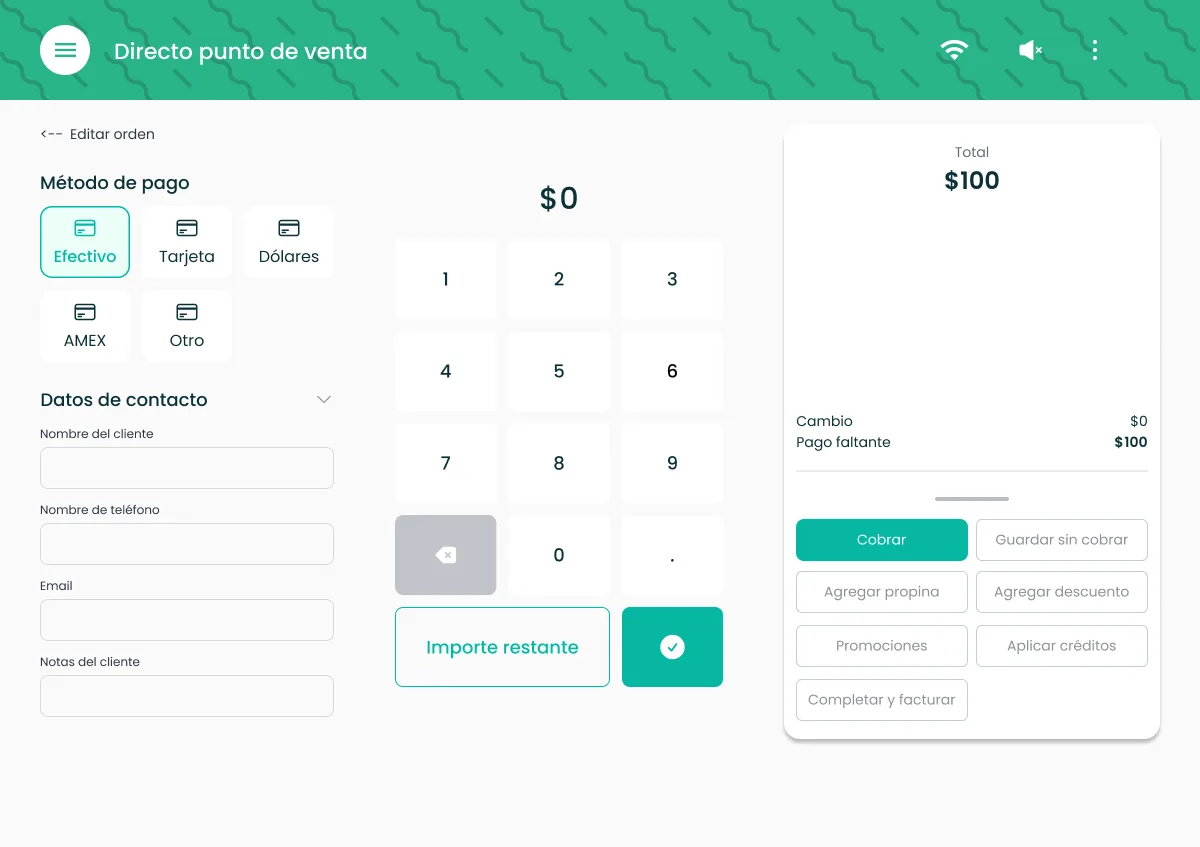
Payment kept its structure: payment method, contact details, a keypad, and the total with the amount still missing. The work was making it consistent with the rest of the interface. Payment methods became buttons with icons, and the amount and the total are easier to read at a glance.
Before
After
Across the flow
Heavy lines used to split every section. The redesign groups related content in boxes instead, so a dense screen reads as a few clear blocks.
Phone, tablet and desktop
The old POS wasn't responsive. I designed and built it for every screen staff use: the dedicated tablet most restaurants have, desktop, and phone. The phone version feels native, with cards anchored to the bottom of the screen to make navigation easier.
The phone version was a feature request: waiters needed to take orders from their own phones in the restaurant.
Constraints as decisions
It had to ship in two weeks, so it wasn't a full redesign. Order type and menu got new layouts, because their hierarchy was wrong. Modifiers and payment kept their structure and got the new styles, so the whole flow looks consistent. It shipped complete, on time.
Building it
React with plain CSS. Its backend also powers the Pide Directo web menu, the customer-facing side of the same system.
What changed
Feedback from the internal team was very positive: they praised the new look and the usability. There was no formal testing with restaurant staff.
In October 2026 it's still in use: at least 22 restaurants in Mexico and Uruguay take online orders through Pide Directo, and every one of them manages its menu in the POS.
Version 2: checkout
Version 2 wasn't a single project. After Version 1, new features piled up as restaurants needed them: saving an order without charging it, credits and discounts, tips, more payment methods, and a view of the orders still open.
The redesign was my initiative, not a request. I used those features as the chance to refresh the interface: each new feature came with a cleaner layout, and charging grew into its own flow.
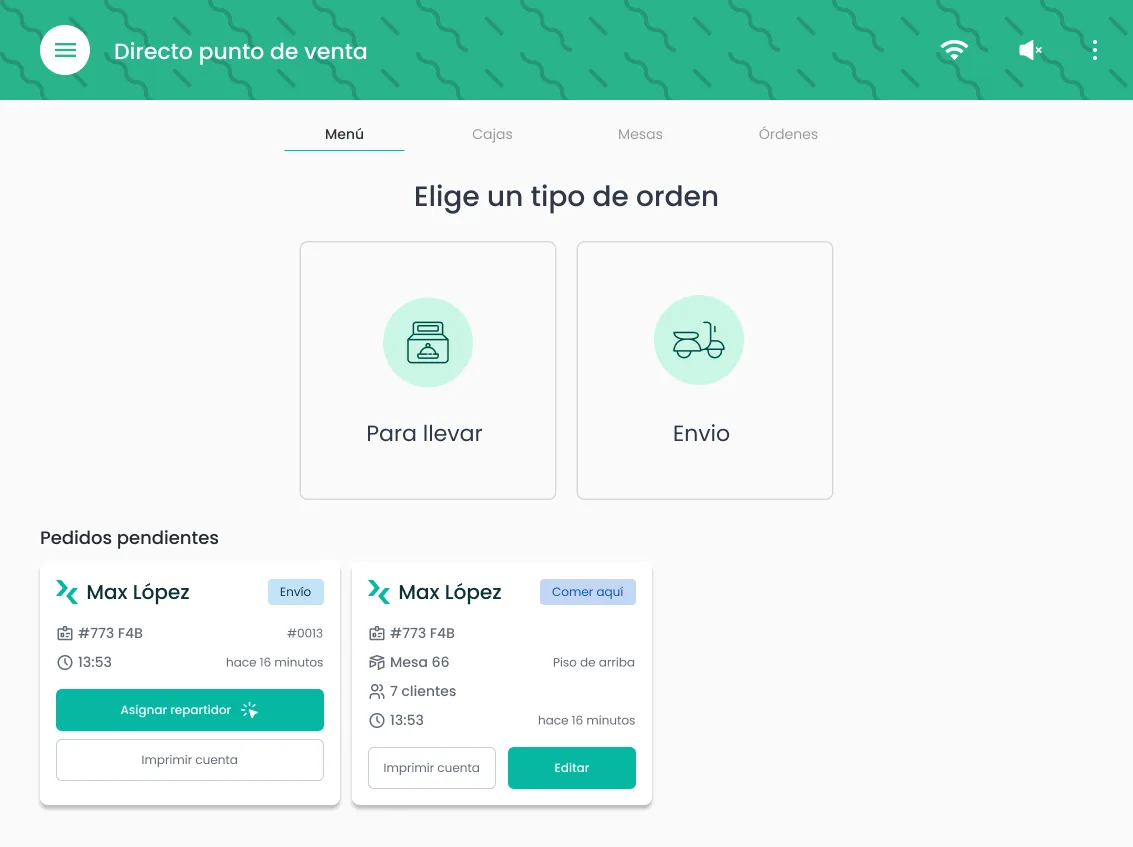
Active orders on the main screen
The main screen now shows the orders that are still open, next to the order types. Each card shows the customer, the ticket, the table and the time since the order was placed, with the next action: assign a delivery driver, edit, or print the bill. The main screen started to look like an app.
Editing an order
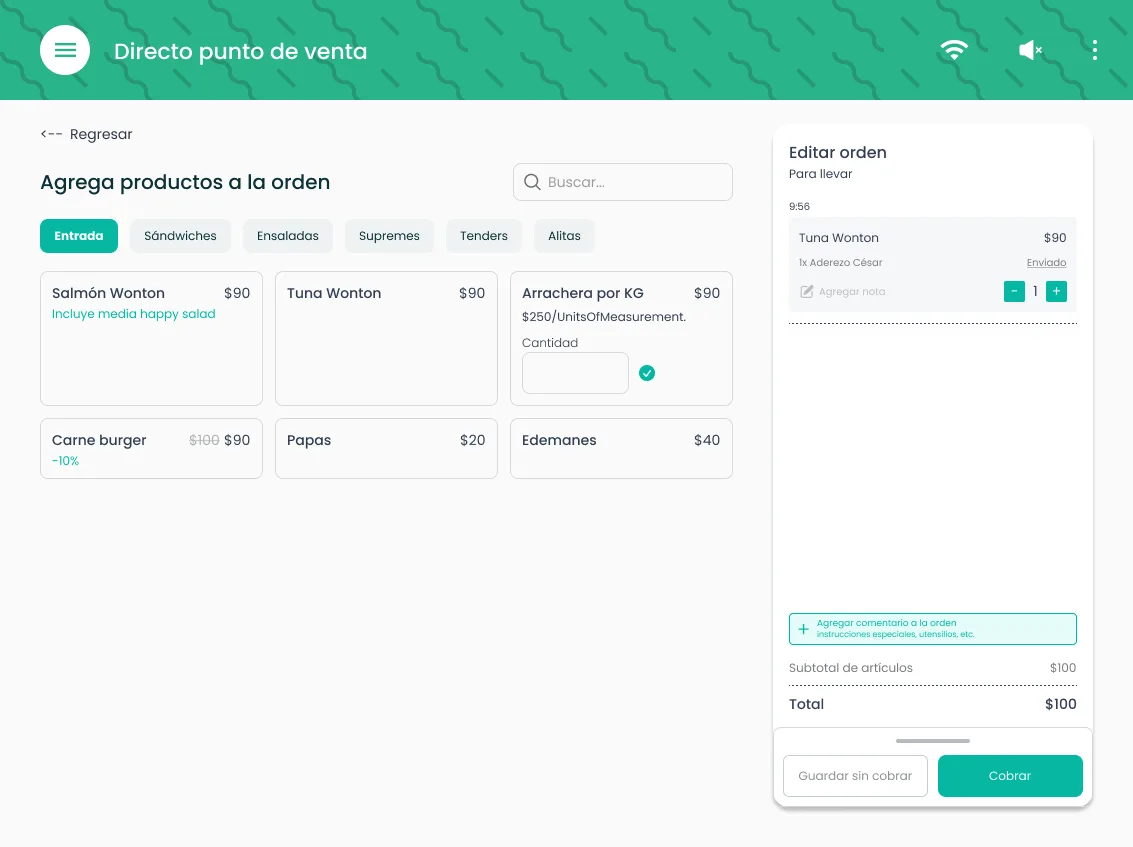
The order stays visible on the right while staff add products, with the subtotal and total, and two ways out: charge now or save without charging.
A flexible checkout
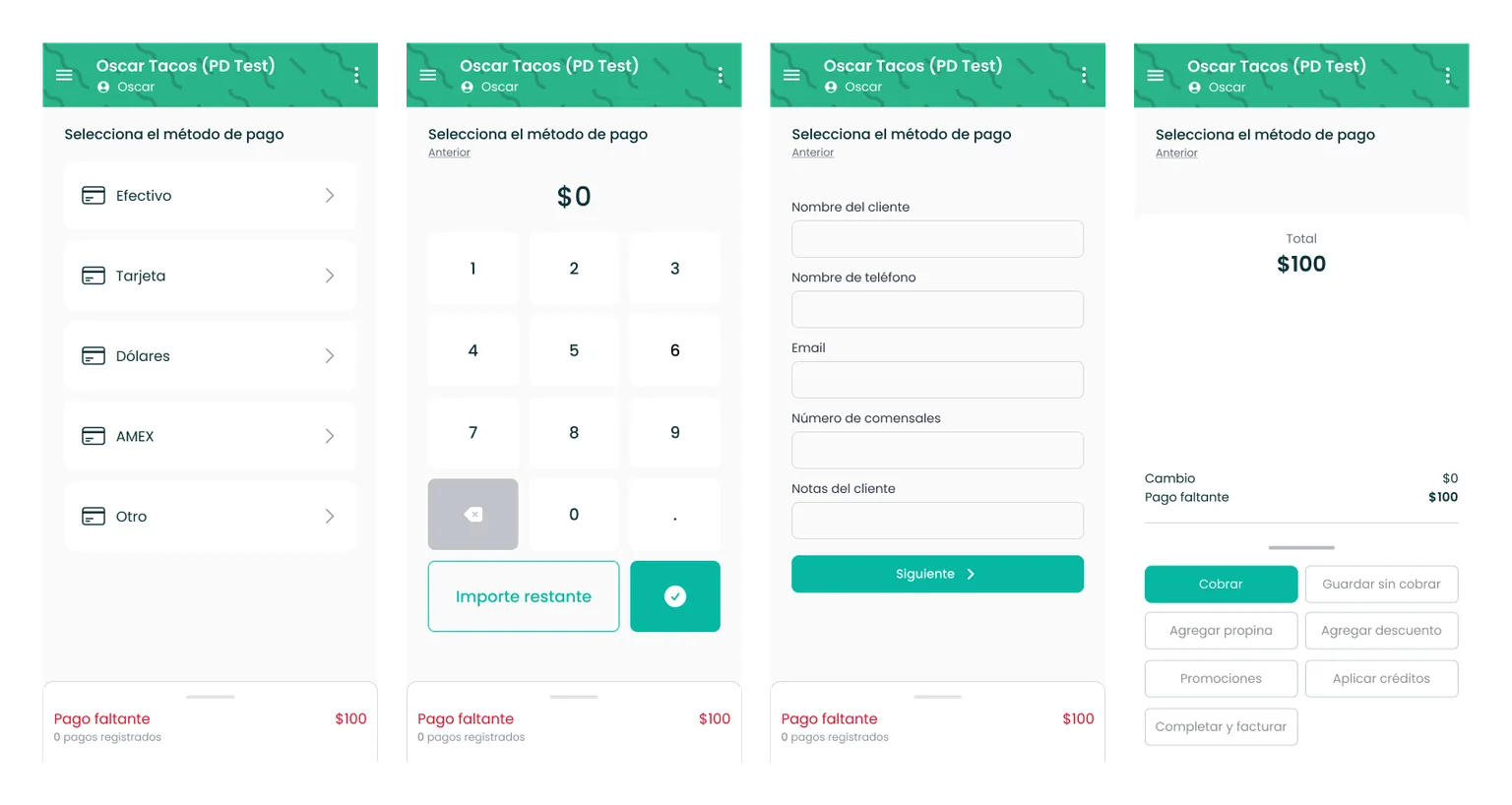
Paying became its own flow: payment method, amount, customer details, and a summary. The Version 1 screen couldn't hold it anymore. There were too many payment methods to fit, and most charges need nearly all of that information, so it couldn't be hidden either. Splitting it into steps gave each part its own space.
- More payment methods: cash, card, US dollars, AMEX and other.
- Registered payments: the amount still missing and the payments already registered stay visible at the bottom of every step.
- Everything checkout needs: charge, save without charging, add a tip, add a discount, apply promotions or credits, and complete with an invoice.
- Summary always in view: on tablet, the total, change and amount missing sit on the right while staff work through the steps.
- System messages as toasts: short notices that tell staff what to do next, such as "Completa el pago para agregar propina" (complete the payment to add a tip).
On the phone, the same flow runs one step per screen.
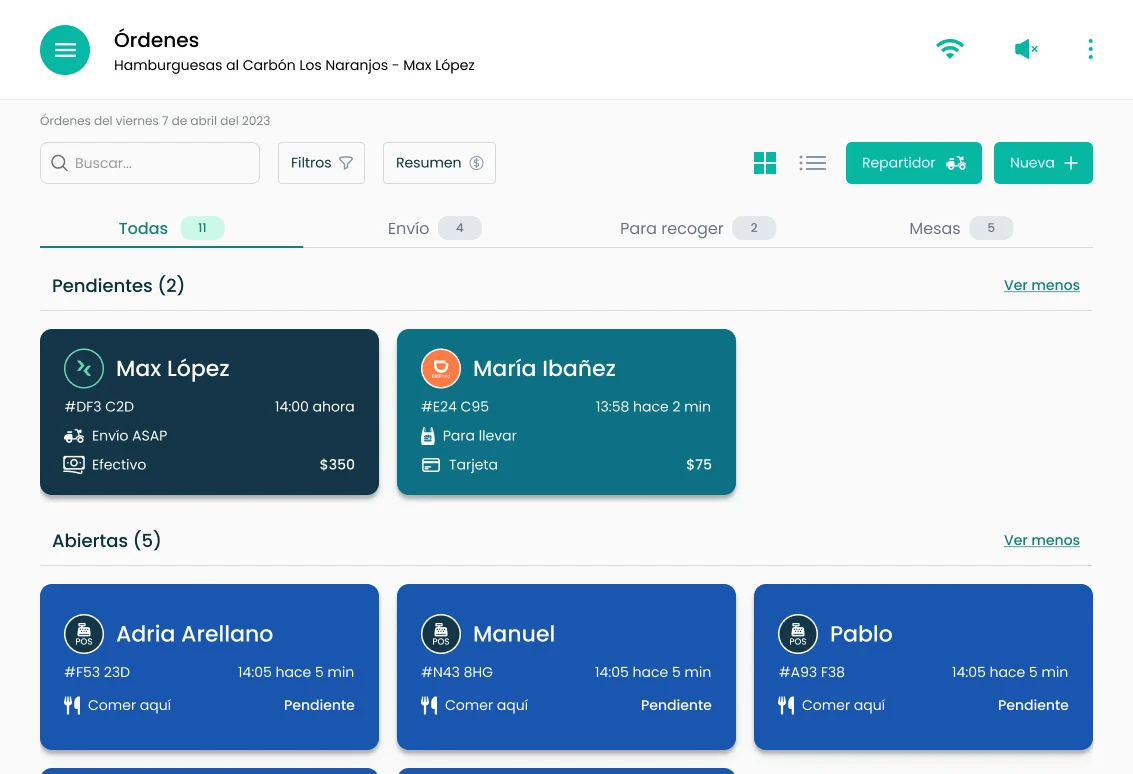
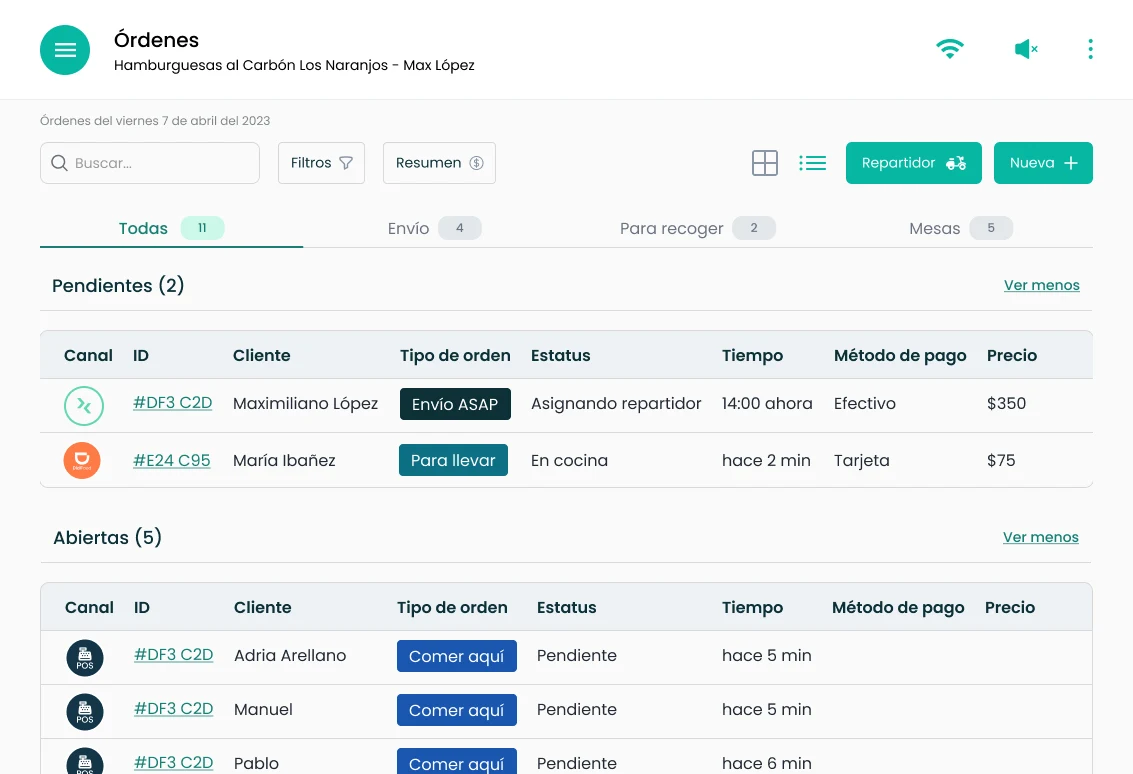
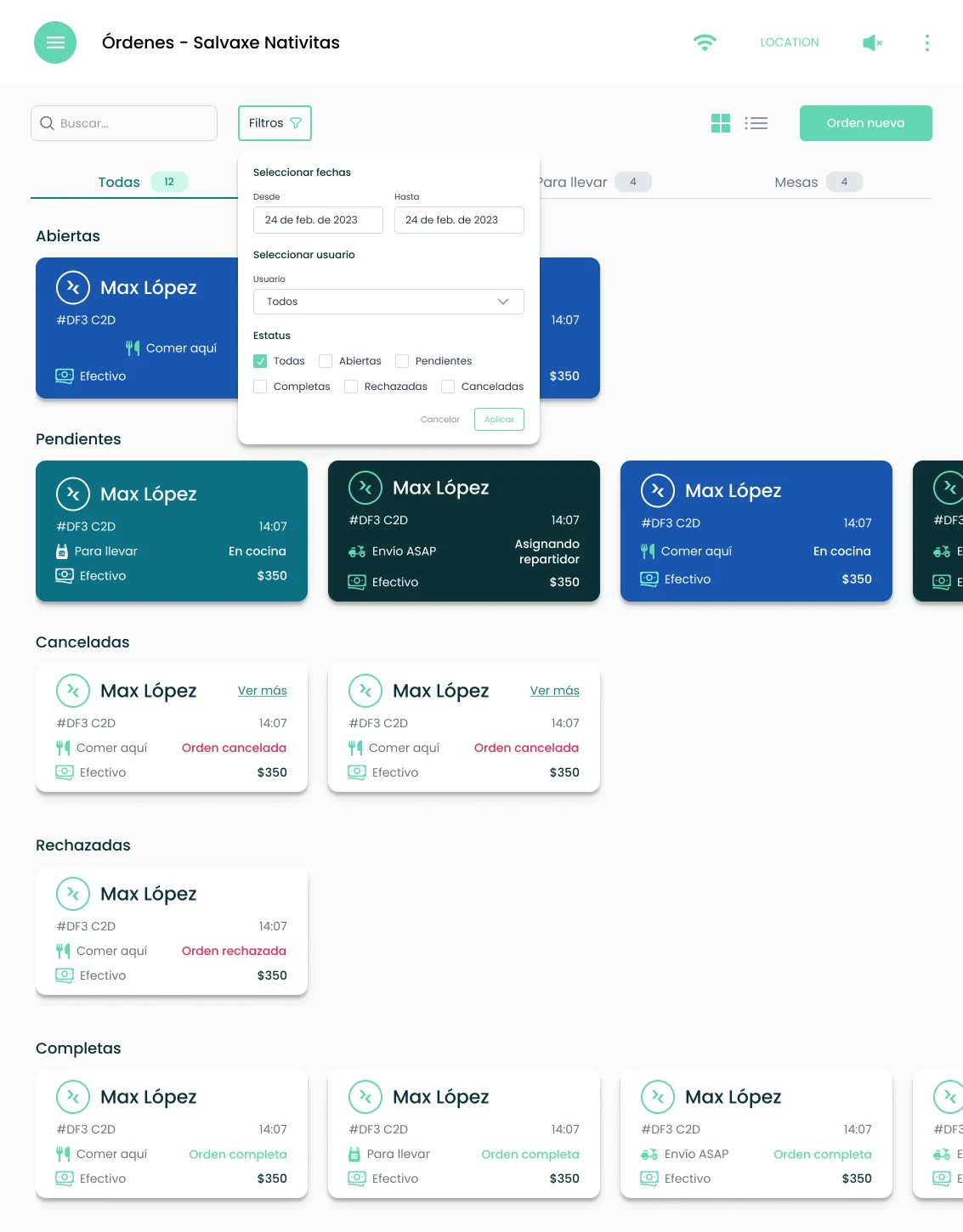
All orders: one view for every channel
Staff could already see a preview of incoming orders on the screen where they create orders. Restaurants needed something more immediate: every order at once. I designed the view alone, and it shipped.
- One list for every channel. Orders from Rappi, Didi, Uber Direct, the web menu and the POS itself land in the same list. An icon on each order shows where it came from.
- Grouped by status. Pending, open, in kitchen, assigning a driver, driver on the way, in delivery and completed, each in its own section.
- Color for order type. Cards are colored by order type, so delivery, takeaway and eat-in orders are easy to tell apart at a glance.
- Cards or a table. Staff choose the view that works for them. The table was the one used most: one row per order with channel, ID, customer, order type, status, time, payment method and price.
- Filters. Orders can be filtered by date, user and status, including cancelled and rejected ones.
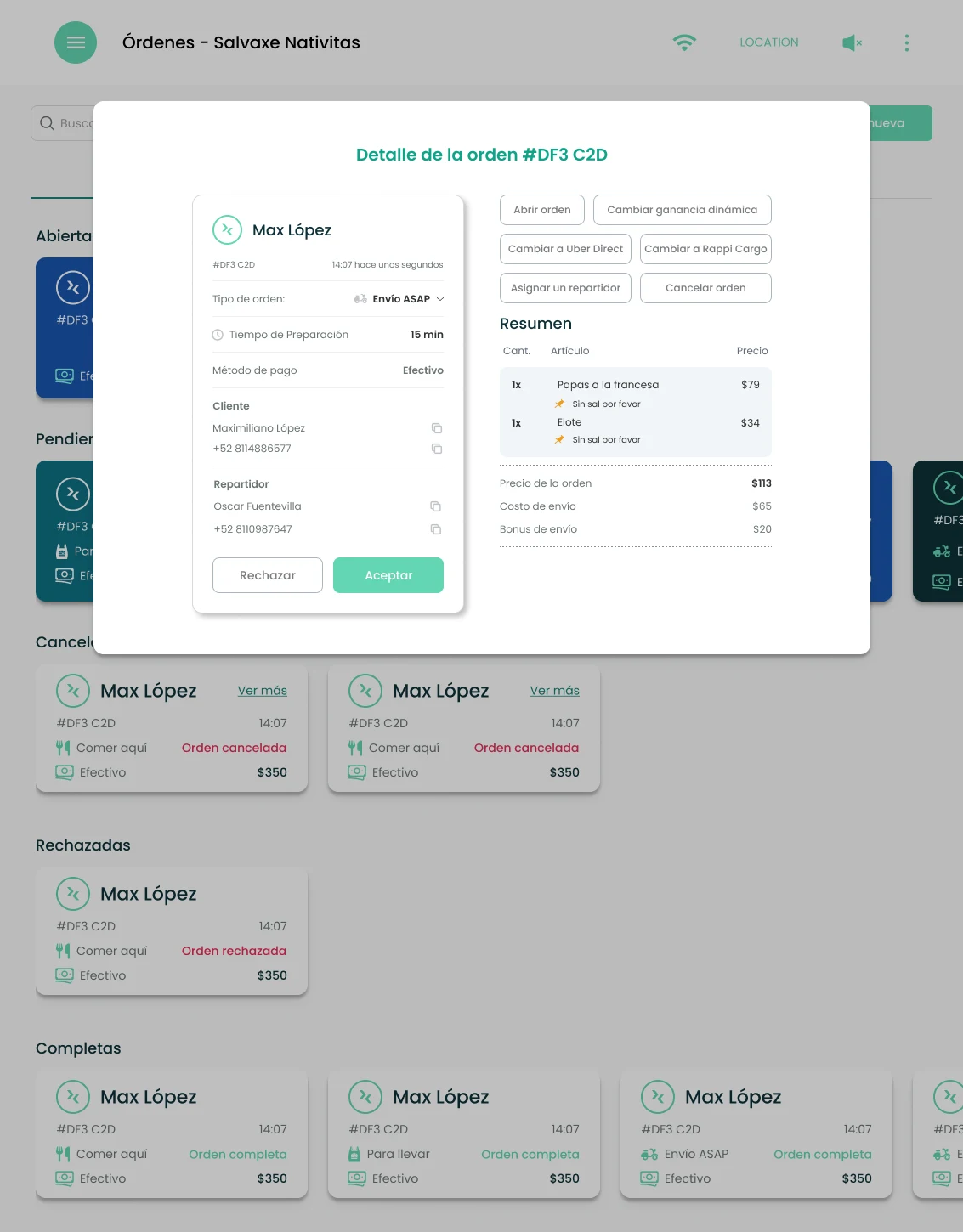
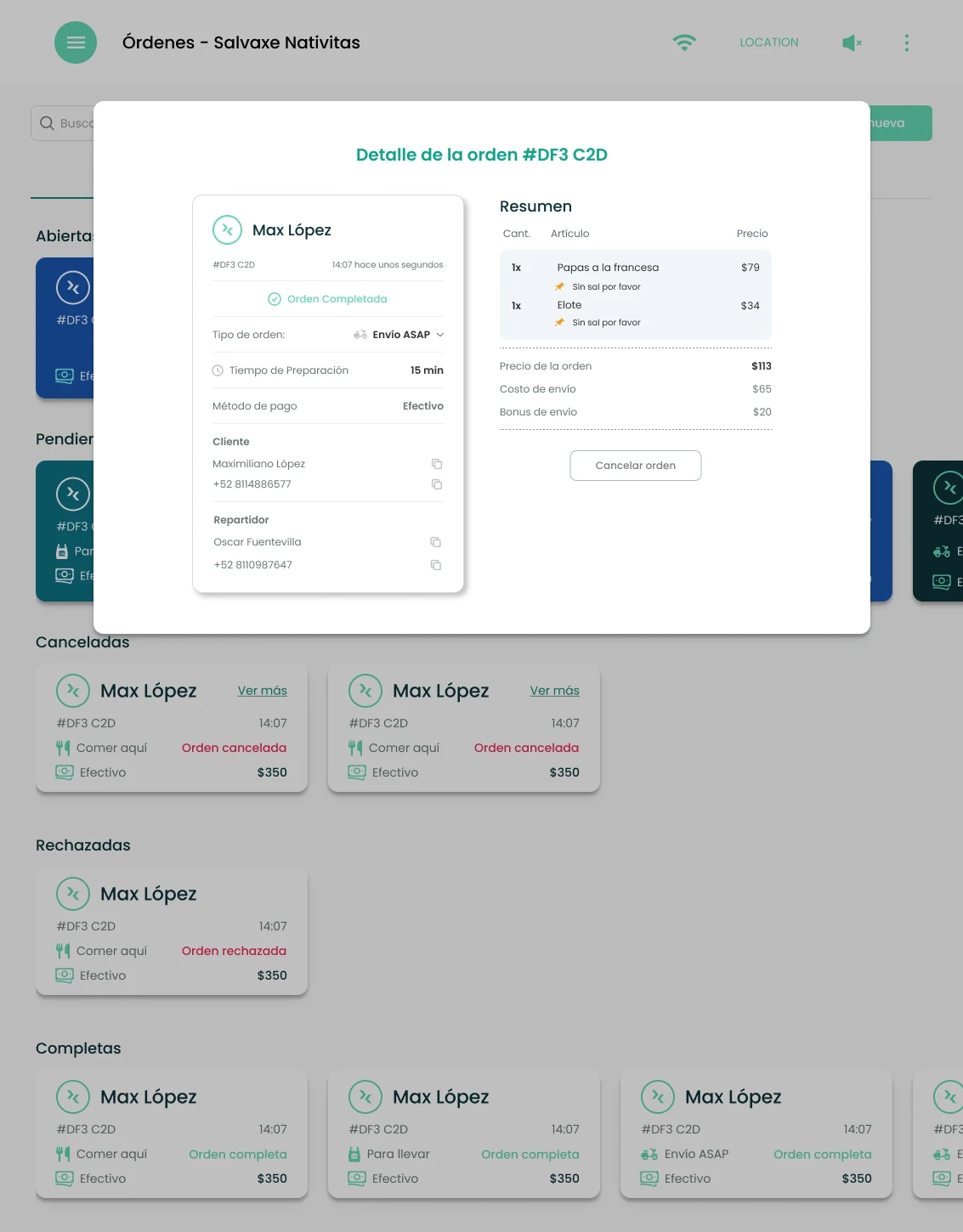
- Actions live in the order detail. It's the only place to act on an order. From there, staff accept or reject a new order, open it, assign a driver, switch the delivery to Uber Direct or Rappi Cargo, or cancel it. The detail also brings together the customer, the driver and the bill.
What I'd measure
- Time per order: from opening a new order to payment, at peak hours.
- Taps per order: how many steps the most common orders take.
- Errors: orders saved with the wrong type, missing or wrong modifiers, and voids.
- Learning time: how long a new staff member takes to process orders without help.
- Checkout: time from opening the payment to a closed order, and how often orders are saved without charging, split across payments, or get tips, discounts or credits.